01 — Architecture
The shape of it
Daygig is a desktop application that happens to render in your browser. When you double-click Daygig.app, it starts a small HTTP server bound to your loopback interface and opens a tab pointed at it. The server, the database, and every calculation live on your Mac. Nothing is proxied, and there is no remote backend to be down.
That design has a specific consequence worth stating plainly. The browser tab is a window, not a website. Close the tab and the app keeps running until you press Shut Down. Lose your internet connection and nothing changes, because nothing was going anywhere.
| Application server | Python http.server, standard library only |
|---|---|
| Interpreter | Python 3.14, bundled inside the app. No separate install |
| Database | SQLite in WAL mode, one file |
| Interface | Hand-written HTML, CSS and JavaScript. No framework, no build step |
| Packaging | PyInstaller, wrapped as a signed .app bundle |
| Size on disk | About 11 MB downloaded, roughly 40 MB installed |
| Codebase | ~26,000 lines of Python across 46 modules, plus 258 automated tests |
02 — Dependencies
Zero third-party packages
Daygig imports nothing that isn't in the Python standard library. No Flask, no Django, no SQLAlchemy, no pandas, no requests, no npm tree. The full import list is sqlite3, http.server, json, csv, hashlib, hmac, ssl, zipfile, and their neighbors.
This was a deliberate constraint, and it costs something. A few wheels have been reinvented, and you can see the seams in this page. What it buys is worth more for software that holds your financial records:
- Nothing to audit but the app itself. A typical accounting app pulls in several hundred transitive packages. Daygig pulls in none, so there is no supply chain to compromise.
- No dependency rot. A build made today will still build in five years. Nothing gets yanked from a registry, and nothing needs a security patch you have to chase.
- Small and fast to start. Cold launch to a rendered dashboard is under two seconds on an M-series Mac.
The one place this shows most is cryptography. Python's standard library has no AES, so Daygig's secret storage is a hand-built encrypt-then-MAC construction rather than a library primitive. It is described in full further down, including how to judge it.
03 — The server
Bound to your machine
The server listens on 127.0.0.1:4848. That address is not routable. It never leaves your network interface, so nothing on your Wi-Fi, your office LAN, or the wider internet can reach it. If port 4848 is already taken, Daygig walks upward until it finds a free one and tells the app which port it landed on.
On first launch macOS may ask whether Daygig can find devices on your local network. That prompt fires for any process that opens a socket, including loopback-only ones. Allowing it lets the browser reach the local server; it does not grant Daygig access to your network.
Shutting down is explicit. The Shut Down button in the sidebar stops the server process. If a previous copy is still running when you launch a new build, the launcher asks the old one to quit first rather than fighting it for the port.
04 — Security
Two checks on every request
A server on localhost is not automatically safe. Any web page you visit can try to talk to it, and there are two well-known ways to attack that. Daygig checks for both on every single request.
Host allowlist — stops DNS rebinding
In a rebinding attack, a malicious site repoints its own domain at 127.0.0.1 and then makes requests that reach your local server carrying Host: evil.com. Daygig requires the Host header to name a loopback address and rejects everything else, so the forged host never gets a response.
Origin and Referer — stops cross-site requests
Any state-changing request — every POST, plus the mutating verbs, must carry an Origin or Referer that matches the local server. A form submitted from another page arrives with someone else's origin and is refused before it reaches any handler.
Two internal callers legitimately have no browser origin: the launcher, and the desktop shell asking a previous instance to quit. They identify themselves with an X-Daygig-Internal header, which a web page cannot forge on a cross-origin request.
What this does not protect against. Anyone with an account on your Mac who can run programs as you can read the database file directly. Daygig relies on your operating system's user account and disk encryption for that layer, exactly as your Documents folder does. If you share a login, you share the books.
05 — Storage
Your data on disk
Everything lives in one folder, outside the app bundle so that updating Daygig cannot touch your books:
~/Library/Application Support/Daygig/
├── daygig.db            the whole ledger, one SQLite file
├── backups/             automatic snapshots
├── receipts/            receipt images you uploaded
├── product_images/      product photos
└── daygig-errors.log    written only when something goes wrong
The database is a standard SQLite file with no proprietary layer on top. You can open it with the sqlite3 command that ships with macOS, with any database browser, or with a Python script, and read every table without Daygig's cooperation. Copy it to a thumb drive and it works there. That is the whole portability story — there is no export format to be locked out of, because the storage format is already open.
Daygig also exports on demand: CSV from any report, PDF invoices and estimates, and a year-end ZIP containing the full set for your accountant.
06 — Backups
A snapshot before nearly every write
Before Daygig modifies your data it takes a complete snapshot of the database into backups/. Not a diff. A full, independently openable copy.
The snapshot uses SQLite's online backup API rather than a file copy, and the reason matters. The database runs in WAL mode, which means a transaction you just committed can still be sitting in the -wal sidecar rather than in the main .db file. A plain cp would silently miss it. The backup API folds the WAL in and produces one consistent file.
Because a snapshot is a full copy, the folder is capped. Daygig keeps the most recent 100 automatic snapshots by default and deletes older ones; you can change the retention count in Settings, with a floor of 10 so the safety net can't be turned off by accident. Manual backups you trigger yourself are never pruned.
Local snapshots protect you from your own mistakes. They do not protect you from a dead drive or a stolen laptop, because they live on the same disk. Export a backup to external storage on a schedule you'll actually keep.
07 — Accounting
Real double-entry, not a spreadsheet with categories
Every financial event in Daygig becomes a transaction with two or more postings, and those postings are required to sum to zero before the transaction is allowed to commit. There is no code path that writes a one-sided entry. This is the difference between bookkeeping and a labelled list of numbers. It is why the balance sheet balances, why the trial balance ties, and why an accountant can follow what happened.
Money is stored in integer cents
Every amount in the database is an integer number of cents. Floating point never touches a stored balance. This is not fussiness. 0.1 + 0.2 in floating point is not 0.3, and in a ledger that runs for years those errors accumulate into a report that doesn't tie and an evening spent finding out why.
The chart of accounts fits the work
Daygig seeds a chart of accounts based on the mode you pick at setup, rather than handing everyone a generic list to prune:
- Business and maker. Raw materials and finished goods inventory, product COGS, order packaging, merchant fees, booth and event fees, prototypes and QC, sales tax payable, customer deposits.
- Landlord. Accounts mapped to IRS Schedule E line numbers, with security deposits carried as a liability rather than income, and repairs kept separate from capitalized improvements.
- Contractor. Job materials and parts, subcontractor labor, permits and inspection fees, equipment rental, licenses and bonds, workers comp and liability.
Postings you can actually inspect
Every generated entry is visible in the ledger with its source module and the record that produced it. When a sale posts revenue, COGS, sales tax and the inventory relief, you can see all four lines and trace each back to the order. Nothing is computed and thrown away.
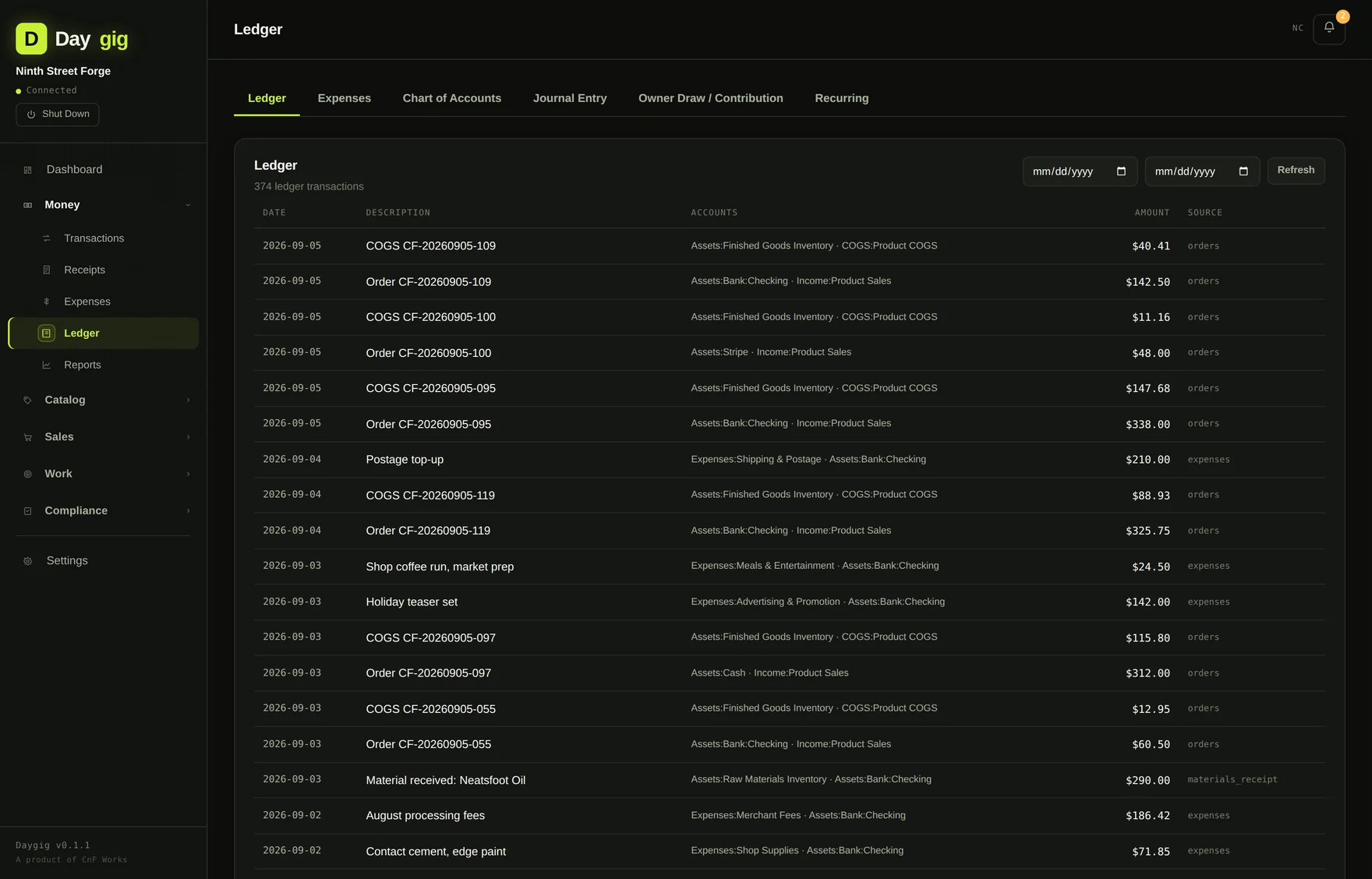
It checks its own work
Daygig runs an exception scan that compares the inventory subledger against the general ledger accounts it should agree with, and surfaces the difference when they drift. Most software of this size never tells you it disagrees with itself. Rounding between a rolled bill-of-materials cost and a stored unit cost can produce a variance of a few cents; that is normal and reported honestly rather than hidden.
08 — Inventory
Materials become products, and the ledger follows
Daygig models the thing most small-business software refuses to: the fact that you buy raw material and turn it into something else.
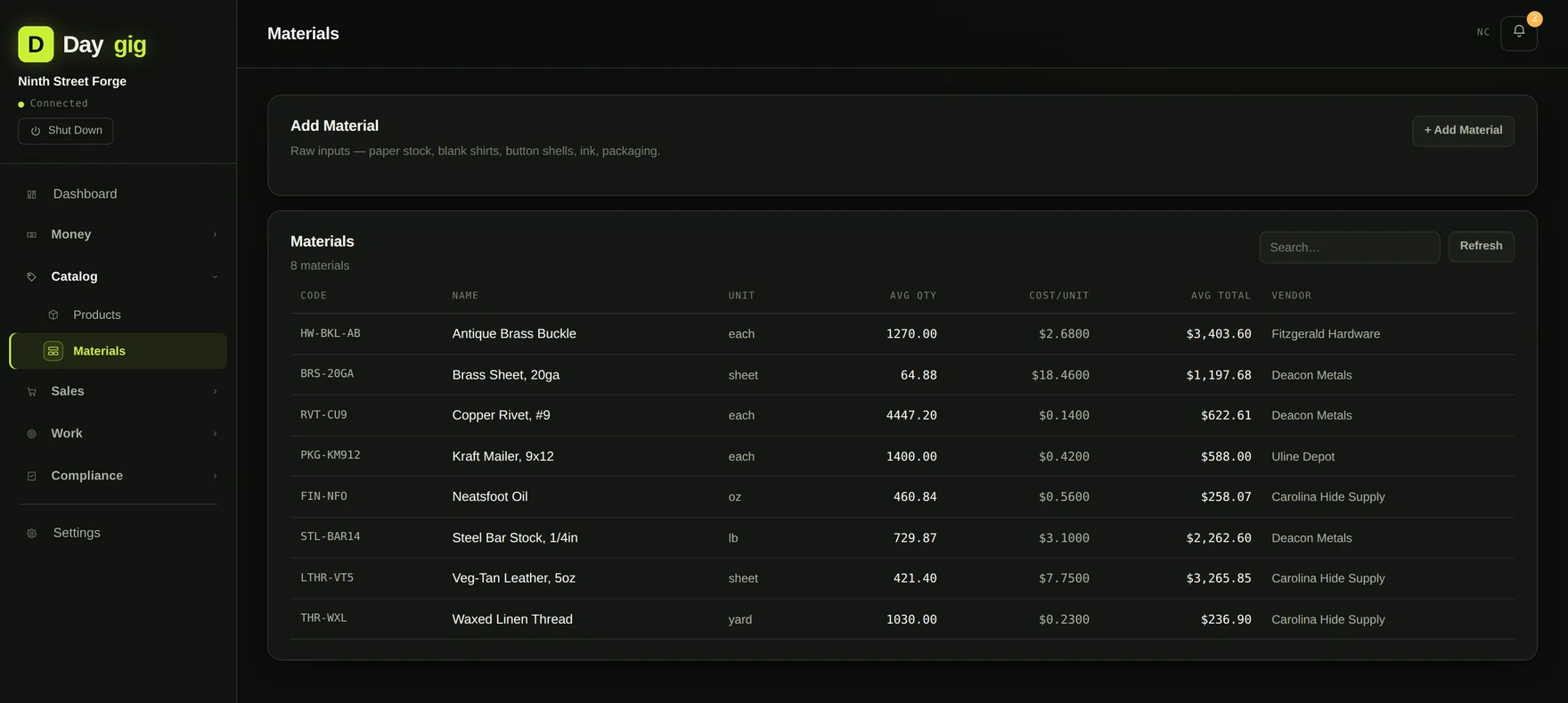
Weighted-average material costing
When you receive a purchase, Daygig posts DR Raw Materials Inventory / CR your payment account, and updates that material's weighted average unit cost. Buy leather at $7.40 a sheet, then at $8.15 three months later, and the cost of a belt built afterward reflects the blended figure rather than whichever price you happened to type most recently.
Production runs consume the bill of materials
Record a production run and Daygig walks the product's bill of materials, applies each line's waste factor, checks that you actually have the material on hand, subtracts it from the subledger, and posts DR Finished Goods / CR Raw Materials at the rolled cost. If a material is short, the run is refused with the specific shortfall: the SKU, what it needs, and what you have.
Selling relieves inventory automatically
A completed order posts revenue, moves the units out of finished goods, and books COGS in the same transaction. You never enter cost of goods sold by hand, and it can't drift out of step with what you actually sold.
09 — Tax logic
The rules that are easy to get wrong
Marketplace facilitator sales tax
When you sell on Etsy, the platform collects and remits sales tax on your behalf. That tax is never your liability and never reaches your payout. Daygig knows this: orders on marketplace-facilitator channels skip the sales-tax-payable posting entirely, so your tax worksheet shows what you actually owe rather than a number inflated by tax somebody else already sent to the state. Orders through your own site or in person accrue tax normally.
Sales tax follows your home state
Taxable orders are validated against the state you set at setup. An out-of-state sale doesn't quietly accrue tax you don't owe.
1099-NEC, with the exclusions built in
The 1099-NEC worksheet totals payments by vendor against the accounts where contractor payments land, and flags anyone at or over the $600 IRS threshold. It excludes payments made by card or through a payment app — those are reported by the processor on a 1099-K instead, and issuing a 1099-NEC for them double-reports the vendor's income.
Mileage at the correct rate for the year
Mileage entries default to the IRS standard rate for the trip's own year, including years the rate changed mid-year. A trip logged against last year's date doesn't get valued at this year's rate.
Schedule C and Schedule E worksheets
Daygig produces line-referenced worksheets rather than a pile of totals: Schedule C for business and contractor modes, Schedule E for rental property, with depreciation calculated on a 27.5-year mid-month basis from each property's depreciable basis and in-service date.
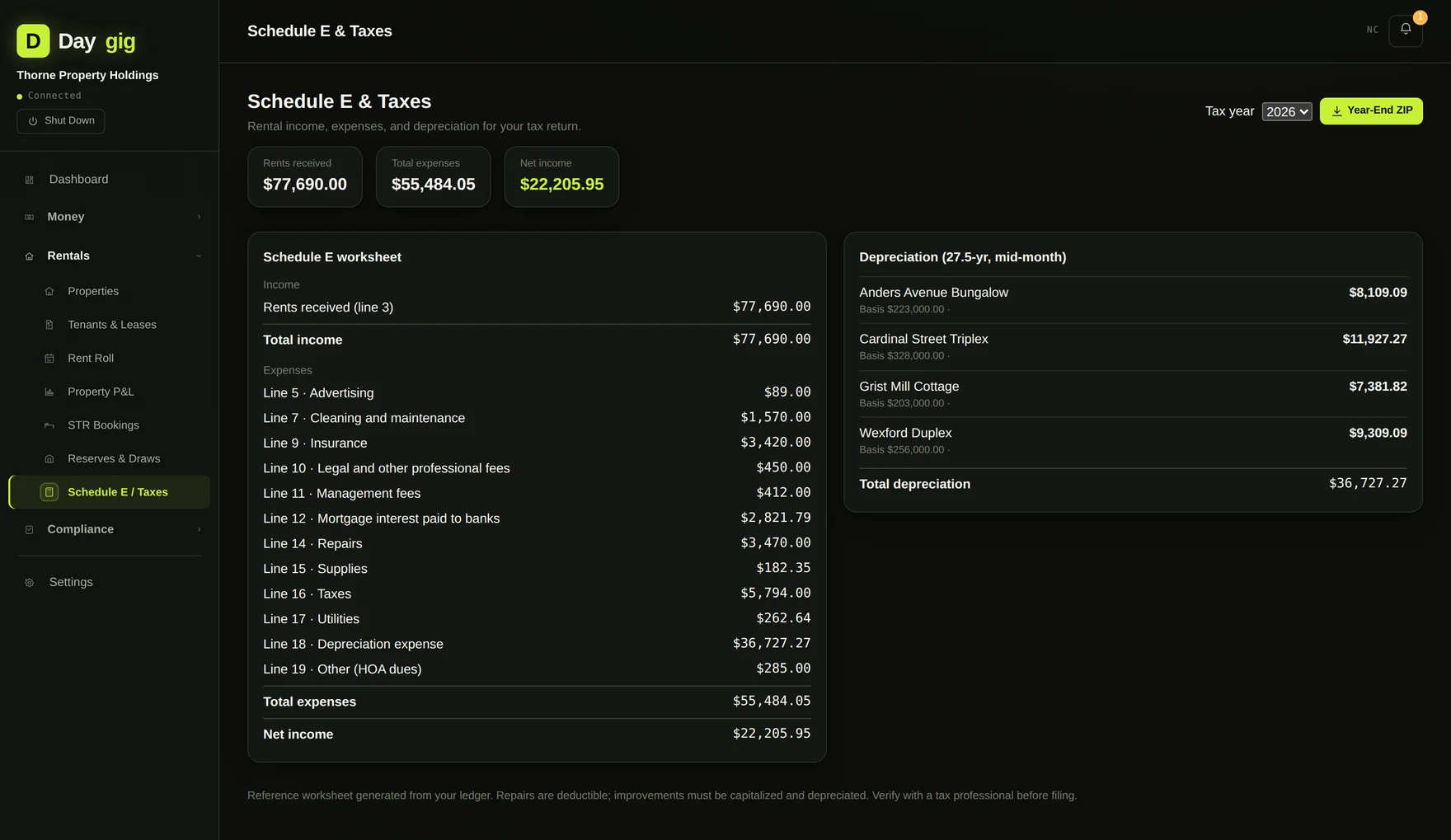
These are worksheets, not filings. Daygig organizes your records and does the arithmetic; a licensed professional should review the result before it goes on a return.
10 — Output
Reports, CSV, and hand-built PDFs
Every report renders on screen and exports to CSV. Invoices, estimates and several reports also export to PDF — and because there is no PDF library in the dependency list, Daygig writes the PDF byte format itself, starting from the %PDF-1.4 header and assembling the object table by hand.
That is an unusual thing to do, and it is the clearest example of what the zero-dependency rule costs. The upside is that PDF generation can't break because a package changed, and the app doesn't carry several megabytes of typesetting engine it uses for one screen.
The year-end export produces a single ZIP: profit and loss, balance sheet, general ledger, expense detail, mileage log, sales tax summary, inventory valuation, the 1099 vendor list, and your receipt archive. It is built to be emailed to an accountant without a follow-up conversation.
11 — Network
Every time Daygig touches the internet
The complete list. Everything here is optional and off unless you turn it on.
| Update check | Fetches a small version file at launch to tell you a newer build exists. Best-effort and silent: if it fails, nothing happens. Clear the setting and no request is made at all. |
|---|---|
| AI receipt parsing | Sends the receipt image or text to Anthropic using your API key, directly. It does not pass through any server of ours, and it only happens on receipts you choose to parse. |
| Bank sync (Plaid) | Only if you connect an account. Off by default. |
| Stripe sync | Only if you add a Stripe key. Off by default. |
Your books, receipts, backups and reports are never uploaded anywhere. There is no telemetry, no analytics, no crash reporting, and no account. If you email support a log or a screenshot, we receive exactly what you attached and nothing else.
12 — Secrets
How stored keys are encrypted
API keys and integration secrets are encrypted at rest. Here is the construction, so you can judge it rather than take a word for it.
- The key is derived with PBKDF2-HMAC-SHA256 at 240,000 iterations over a per-record random salt.
- Separate encryption and authentication keys are split out of that material with HKDF, so the same key is never used for two jobs.
- The cipher is a SHA-256 keystream in counter mode — Python's standard library ships no AES, so this is built from the hash primitives it does ship.
- It is encrypt-then-MAC: an HMAC-SHA256 tag covers the salt, nonce and ciphertext, and is verified in constant time before anything is decrypted.
An honest assessment. Encrypt-then-MAC with HKDF-separated keys and a constant-time tag check is the right shape, and it is meaningfully better than storing keys in plain text. It is also a hand-rolled cipher rather than a reviewed AES-GCM implementation, and hand-rolled cryptography deserves more skepticism than library cryptography. It protects an API key sitting in a file on a machine you already control. Treat it as that, not as a vault.
13 — Platform
Apple Silicon, macOS 12 or later
The shipping build is compiled for arm64, Apple Silicon only. That means an M1, M2, M3, M4 or later Mac. It will not run on an Intel Mac, and there is no Rosetta path, because the binary contains no x86_64 slice to translate.
Windows is not a rewrite away. The code is plain Python and the Windows build script is in the repository. It is a testing problem, not an engineering one, and shipping an untested build of something that holds your books is worse than shipping nothing.
14 — Limits
What Daygig doesn't do
Every honest technical page needs this section.
- No payroll. If you have W-2 employees, Daygig tracks what you paid but does not calculate withholding, file returns, or produce a W-2.
- No multi-user access. One person, one machine. There is no sharing model, no permissions, and no simultaneous editing.
- No sync between your own devices. The database is a file. Putting it in a cloud-synced folder and editing from two Macs at once will corrupt it. Move it or export it instead.
- No e-filing. Daygig produces worksheets and export packages. It does not transmit anything to a tax authority.
- Not a substitute for an accountant. It makes you a much better client. It is not a professional.
- Version 0.1.1. This is early software with real users, not a decade-old product. It is tested (258 automated tests across 40 files), but keep exported backups, as you should with any bookkeeping tool.
One known issue is documented rather than buried: the Plaid bank-sync integration's amount signs need validation against a live account before its imported expenses should be trusted. Manual CSV import and Stripe sync are unaffected and use the correct convention. It is noted in the developer notes shipped with the source.